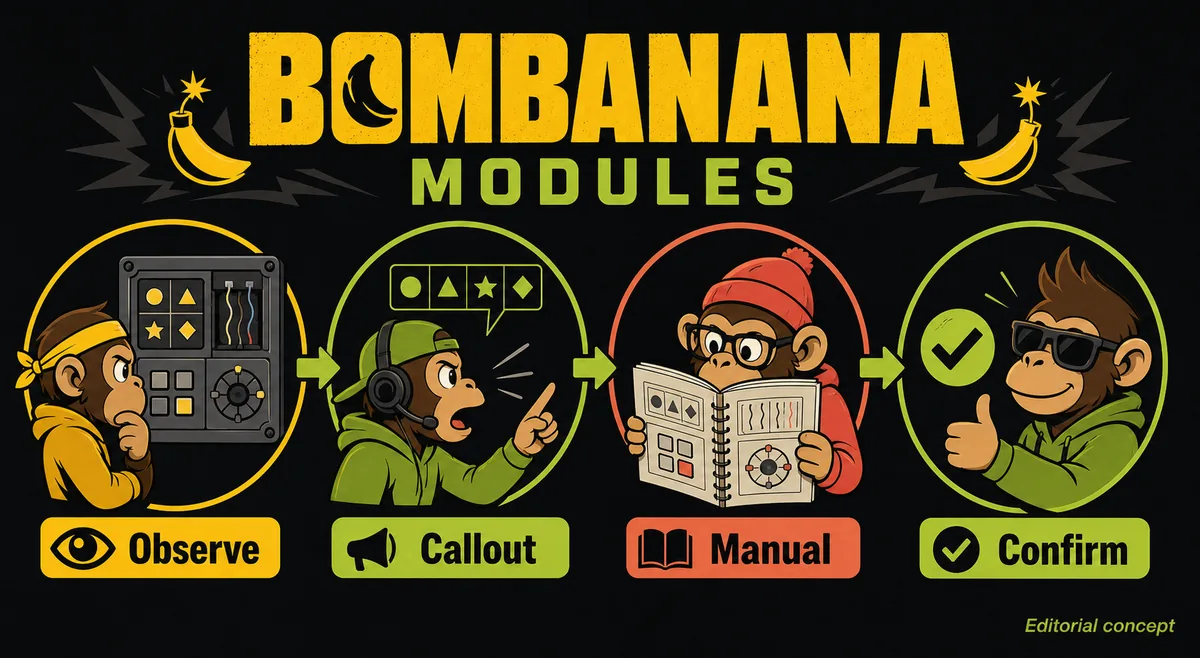
Quick Answer: A Module Is a Puzzle Part, Not Automatically a Level
A BOMBANANA module is one puzzle component on the bomb. It may be a wire group, directional input, number or calculation panel, switch row, or another stateful control. The team solves a module by moving information across the three roles: the bomb handler sees and touches it, the manual player interprets the rule, and the bridge helps turn the result into one spoken action.
This distinction matters when players search for BOMBANANA modules, BOMBANANA module guides, or a BOMBANANA calculator. A single bomb can contain multiple modules, and a mission can contain one or more bombs. Counting every component as a level produces a misleading content total. For the level-count question, use the BOMBANANA demo levels guide; for the communication method, use the BOMBANANA manual guide.
BOMBANANA Module Map: What to Report and What to Confirm
The table is a reporting map, not an official answer table. Exact symbols, rules, and states belong to the current build and in-game manual. Its purpose is to stop the common first-run failure where the handler gives a partial description and the reader has to guess which branch is relevant.
| Module family | Report first | Manual player resolves | Common failure |
|---|---|---|---|
| Wires or colors | Count, order, color, visible light or state | Which position or condition is safe | Cutting before the final action is repeated |
| Directions or symbols | Center mark, orientation, panel-left and panel-right | Which direction or symbol branch applies | Mixing player perspective with panel perspective |
| Numbers or calculator | Expression, digits, order, and any visible indicator | Whether the rule wants a result, comparison, or branch | Pressing the arithmetic result without checking the rule |
| Switches or buttons | Row order and every current up/down or on/off state | Required state sequence and final confirmation | Submitting a partial row from memory |
| Changed or multi-stage state | What changed and when it changed | Whether the old branch is still valid | Continuing with an answer from the previous state |
For a deeper switch-specific workflow, read the BOMBANANA switch module guide. For number and calculation-panel searches, the calculator module guide explains why a safe guide teaches the reporting chain instead of pretending to be an online solver.
How to Identify a BOMBANANA Module in Four Steps
Identification should be quick, but it should not be rushed. The handler has the most direct view of the bomb, yet the handler should not also invent the rule. Use the same four-step scan for every panel so the manual reader knows what information is coming.
- Name the family. Say "wires," "switches," "directions," "numbers," or the team's agreed label. If the family is unclear, describe the visible controls without guessing.
- Use a fixed reading order. Read left-to-right, top-to-bottom, or by a named row. State the order aloud before giving values so a later repeat has the same meaning.
- Separate observation from interpretation. "The second switch is down" is a fact. "The second switch is the one to press" is an instruction that must come from the manual branch.
- Confirm the current state. After the action, report solved, unchanged, changed, or failed. If anything changed, restart the callout from the new observation rather than continuing from memory.
This sequence also helps teams decide whether they need more information. A manual reader who asks for one missing digit is making progress; a reader who receives a stream of guesses cannot choose a safe branch. The best BOMBANANA manual workflow is deliberately boring at the start because consistency creates speed later.
Five Module Types in Practice
Wires and color-order modules
Begin with a count and a reading order. Report color names exactly as the handler sees them, including repeated colors, and mention any light, mark, or state that might distinguish two otherwise similar wires. Do not compress the report into "the blue one" if there are several blue elements. The manual player needs a position or condition that can be checked, while the bridge needs one final action rather than a paragraph of possibilities.
Directional and symbol modules
Directions fail when a team never agrees what left and right mean. Use "panel left" or another stable phrase and keep that perspective for the entire run. Report the center symbol, orientation, and visible indicator before asking for the next input. If the panel changes after a move, the previous direction may no longer describe the current state, so say "new state" and scan again.
Numbers, equations, and calculator modules
A number panel is not automatically an online calculator task. First transcribe the expression or digits in order. Then ask what the manual branch expects: a direct result, a comparison, a parity check, or a choice among outputs. A correct calculation can still produce a wrong move when the rule requires a branch decision. The calculator module guide is intentionally framed around this distinction.
Switches and button panels
Switch panels reward complete state reporting. Pick a row order, label the positions, and report every switch before requesting a change. If the panel has a confirm button, treat confirmation as its own step, not as an automatic part of the last toggle. This prevents a fast handler from submitting a half-described state while the manual reader is still checking the branch.
Changed and multi-stage modules
When a light, digit, symbol, timer, or control state changes, assume the evidence changed until the current manual proves otherwise. Say what changed, pause the handler, and repeat the entire relevant report. A recovery callout is faster than arguing about whether an old answer should still work, and it leaves the team with a useful note for the next run.
BOMBANANA Module Callout Examples
These examples show sentence shape, not puzzle solutions. They make the handoff auditable: another player can repeat the same fact and catch a mismatch before input.
| Situation | Weak callout | Better callout shape |
|---|---|---|
| Switch row | "Try the right one." | "Switches, top-to-bottom: up, down, down, up. Manual branch ready?" |
| Number panel | "It says 12, so press 12." | "Numbers, left-to-right: 1 and 2. The manual asks for the comparison branch, not a direct result." |
| Direction panel | "Go left." | "Panel left is the reference. Center symbol is a triangle; current indicator points up. What is the next direction?" |
| State changed | "Keep going; it probably counts." | "Stop. The second light changed after the input. New state: ..." |
The bridge should repeat only the final action after the manual player chooses it. That role separation keeps the handler from reacting to a half-finished sentence and gives the manual player a chance to correct a mistaken transcription.
Ten-Minute BOMBANANA Module Practice Routine
Before a full demo run, practice the protocol without chasing a speed record. The goal is to make state reporting predictable, not to memorize an unofficial answer list.
- Minutes 1-2: assign the bomb handler, manual reader, and bridge. Agree on panel-left, repeat, stop, solved, and new-state signals.
- Minutes 3-4: rehearse one fictional wire or color report and one switch report. The reader should ask for only one missing fact.
- Minutes 5-7: run a real module slowly. The bridge repeats one action, and the handler reports the result before scanning the next module.
- Minutes 8-9: deliberately introduce one changed state. Any player can say stop; the team restarts from observation.
- Minute 10: keep one useful phrase and remove one ambiguous phrase before the next attempt.
Once the team can identify where a failure occurred - observation, interpretation, confirmation, or action - it can improve one link at a time. This is more durable than copying a long BOMBANANA module answer sheet whose wording or state may not match the current Demo build.
Scope, Sources, and Related BOMBANANA Guides
This page uses the public BOMBANANA premise and current guide coverage to organize module help. It does not claim a complete official module catalog, a permanent puzzle solution, a fixed level count, or a downloadable manual. The current game build and in-game manual remain the source for the actual rule.
For official access, use the BOMBANANA official Steam page. The Steam API checked on 16 August 2026 identifies former Demo App ID 4747510 as a former Demo listing removed from Steam on August 20, 2026 for Windows and Mac. The main game is a separate App ID 4656000 with a 2 September 2026 release date; its current price and complete module scope should be checked on Steam.
Continue with the signal protocols guide for reusable team vocabulary, the walkthrough for a scan-to-recovery sequence, or the demo guide for safe installation and first-run checks.
BOMBANANA Modules FAQ
What are BOMBANANA modules?
They are individual puzzle components attached to a bomb. A mission or bomb can contain several modules, so a module is not automatically a level.
Which BOMBANANA module should I learn first?
Start with the module your team can identify consistently. Use the same order every time: name the family, report the state, choose the manual branch, repeat one action, and confirm the result.
Is there a BOMBANANA module calculator?
This site does not publish a fake solver. Use the current build and manual for the actual rule, and read the calculator-module guide for a safe reporting workflow.
How do I avoid counting modules as levels?
Count selectable missions or stages as the primary progress unit. Record bombs, attempts, and modules as separate notes instead of adding them together.
How do I call out a BOMBANANA switch module?
Choose a fixed row order, state the panel perspective, report each current switch position, repeat the requested action, and wait for confirmation before submitting.
Where should I download the BOMBANANA Demo?
Use the official BOMBANANA Steam page for current status. This fan guide does not host installers, APKs, repacks, or direct files.
Sources and Editorial Scope
Official product identity, platform context, and Demo availability were checked against the BOMBANANA Steam listings and Steam API on 16 August 2026. The module categories, callout examples, and generated image are fan-made editorial guidance. They do not represent developer rules or a permanent answer table.