BOMBANANA! · Evidence checked 2026-11-18
BOMBANANA Manual: Three Roles, Table Lookups and Print Reference
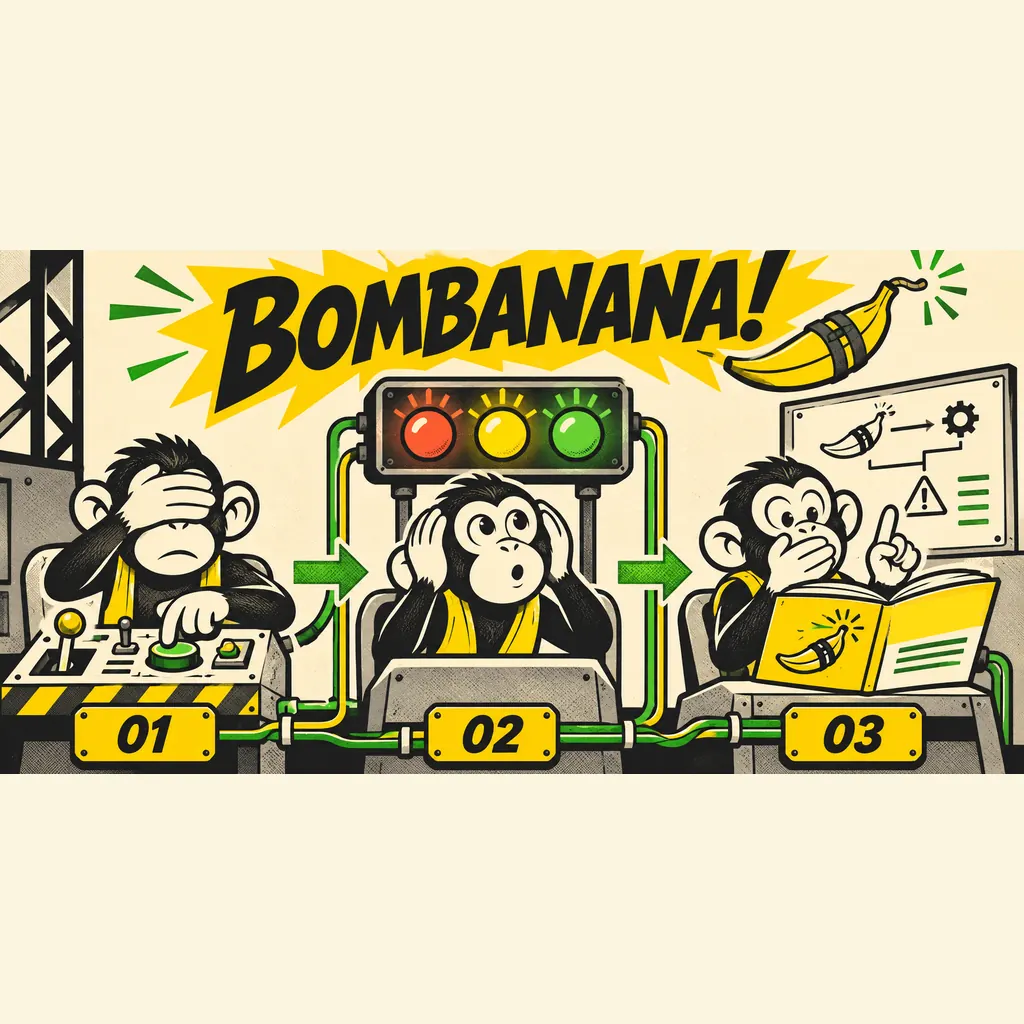
Blind operates the bomb, Deaf observes the panel and speaks, and Mute reads the manual and gestures. Match the actual module first, collect its required clues, then translate the confirmed lookup into one physical action.
Manual row, column and actionable output
| Module | Row / table selector | Column / condition | Actionable output |
|---|---|---|---|
| Calculator | Sum parity | Light color | Blind enters the final digit |
| Symbol | Sounding symbol | Current stage | Color becomes a button position counted from the top |
| Piano | Key-label number | Light color | Four notes including repeats |
| Monkey-Says | Current stage | Heated color | Answer color becomes a cumulative position |
| Switch | Select table with four-color sequence | Conditions on the four numbers | Confirm all directions before Enter |
This reference indexes the lookup inputs; it does not reproduce session answers. Identify what the row and column mean, then read their actual intersection in the current game.
The three information roles
Blind: physical input
Blind can touch and operate the bomb but cannot read screen values or colors. Tactile and Braille information must be reported aloud to Mute when the module requires it. Deaf cannot hear that speech, so a spoken correction alone does not reach every teammate.
Deaf: observation and spoken relay
Deaf sees the bomb, colors and stage indicators but cannot hear. Deaf describes visible clues to Mute, reads Mute’s gestures, then converts the answer into a position and action that Blind can use. A color is not yet an actionable button position.
Mute: current manual lookup
Mute reads the manual but cannot speak. Mute combines the reported clues, selects the current table row and column, then communicates the result by gestures. Agree whether a number means an answer digit, a position or a note before using it.
Lookup and relay examples
For example, 50 + 8 is 58. Deaf tells Blind “5, then 8”. Only after the light turns on does Deaf report even parity and that light color to Mute. The digit at the intersection must come from the current manual; it cannot be guessed from the sum.
In Switch, a condition such as “greater than the red light” compares with the number beneath that light, not with a color. Collect all four numbers first, because the reference value can be later in the sequence.
Use the current in-game manual
Read lookup values from the manual supplied to the current game. A community screenshot can show illustrative values rather than the answer for your session. If two copies of a module appear, give each a distinct location name and keep its stage and observations separate. Do not move a successful answer from one panel to the other.
Recovery is module-specific. The community guide reports that Symbol resets after a wrong press while Monkey-Says retains completed stages. Recount the actual indicators before resuming instead of applying a universal reset rule. A rule that has not been verified remains unknown, including exact thresholds and timing for newer modules.
Agree on the viewpoint and counting direction. A confirmed manual color still has to be translated into the physical control visible to Deaf. Keep “that answer is correct” separate from “submit now”, especially for switches and modules that require a final Enter input.
FAQ
What if the current manual differs from an example?
Follow the current in-game table and indicators. Examples here explain communication rather than provide session answers.
Is every detail official?
Campaign count, the three roles and platform flags come from Steam. Detailed module procedures are attributed to the linked community manual; suggested signals are team conventions.
Can two copies of a module share one record?
Keep their locations, current stages and clues separate. One panel’s answer is not evidence for another panel.
Does an error always restart a module?
No. Recovery is module-specific. Check the actual indicators and do not invent a reset rule for unverified cases.
Sources and scope
Steam is the official source for product, modes, roles and platform flags. Detailed module instructions reflect community v1.1.0 coverage. The developer update date and translated module labels were not independently verified. Use the current in-game manual for session values.